
Celestial Night Sky
WORDPRESS ASTRONOMY TOOLS · LIMITED PILOT
Bring tonight’s sky to your website.
Give visitors a compact sky display, plan your next observing session, and prepare handouts for a club night—all from one WordPress plugin.
View screenshots · Compare service plans · Getting-started guide
A sky display for visitors
Add Tonight’s Sky to a sidebar or publish a full-page dashboard with observing recommendations and Moon information for your saved location.
A workspace for observers
Administrators with Personal or Club access can generate an observing plan for a chosen date and session window, using the site’s equipment and sky conditions.
A program for club nights
Club access adds event planning, presenter notes, and Full Print and Checklist Print handouts for use at the telescope or during outreach.
One plugin. A service plan that fits your website.
The plugin includes all display and planning code. Your API key determines the available service features and calculation allowance; no separate Pro plugin is required. The planners currently require a WordPress administrator account. Visitors can view the dashboard, but cannot generate plans.
Free
$0
Up to 3 targets per request
100 calculations per UTC day
Public sky dashboard and compact sidebar. Personal and Club plan generation are not included.
Personal
$5/month or $49/year
Up to 8 targets per request
500 calculations per UTC day
Dashboard plus administrator observing-plan generation and a printable personal plan.
Club
$15/month or $149/year
Up to 10 targets per request
1,500 calculations per UTC day
Personal features plus administrator Club event planning, presenter notes, Full Print and Checklist Print.
Prices are in USD, per website. Paid subscriptions renew automatically. Review the amount and effective date in your account before confirming. Returning a cached sky display does not require a new calculation; printing an existing plan does not request another calculation. Usage allowances reset at midnight UTC.
See Celestial Night Sky in action
From a compact sky widget to an observing program for your club, explore the plugin’s displays and planning tools. These screenshots show a sample session in Elgin, Minnesota, rather than current sky predictions. Select any image to view it at full size.
Sky widget · Personal planner · Club planner · Print layouts
Tonight’s Sky — a compact display for visitors
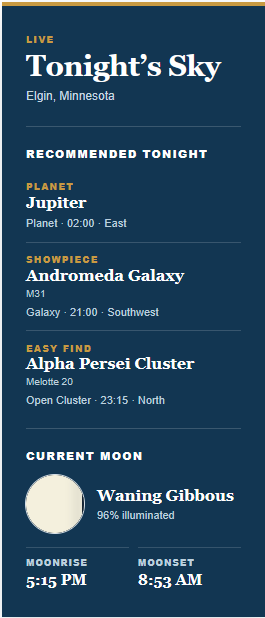
Recommended objects and current Moon information in a compact sidebar layout. View full size: Tonight’s Sky sidebar widget (opens in a new tab).
Add the compact widget to a theme-supported sidebar so visitors can see a few recommended objects and Moon information at a glance.
The public display is available with Free service. Personal and Club planning workspaces are used by signed-in WordPress administrators.
Personal observing plans — Personal or Club service
Set a session window, equipment, target count and difficulty, then generate a personal observing plan using the website’s saved observing location.
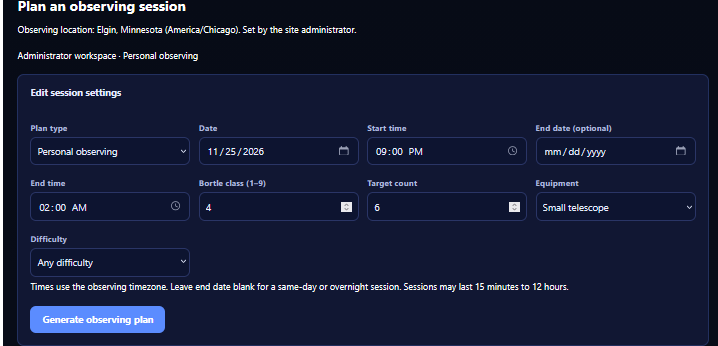
Choose the date, observing window, equipment and difficulty. View full size: Set up a personal session (opens in a new tab).
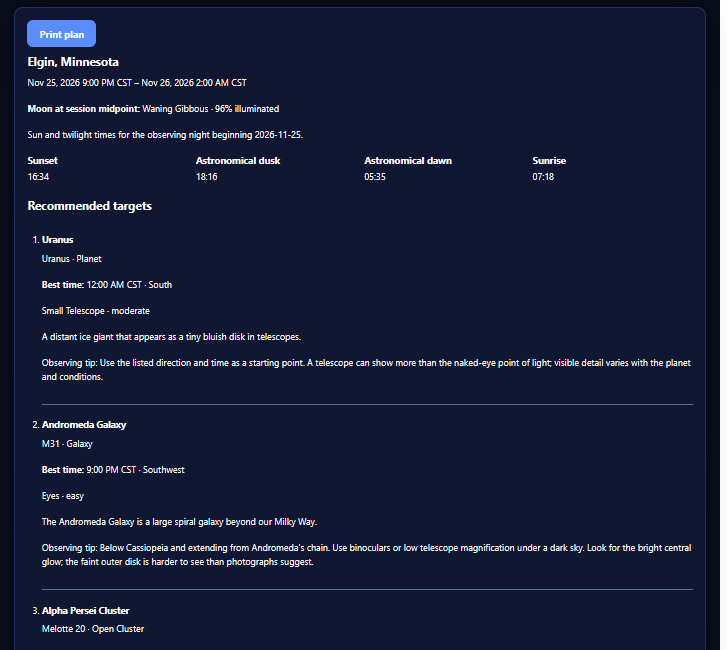
Read twilight times, recommended targets, best times and observing tips. View full size: Review your observing plan (opens in a new tab).
Club event planning — Club service
Prepare a program for a club observing night, with presenter notes, target details and best-viewing time groups.
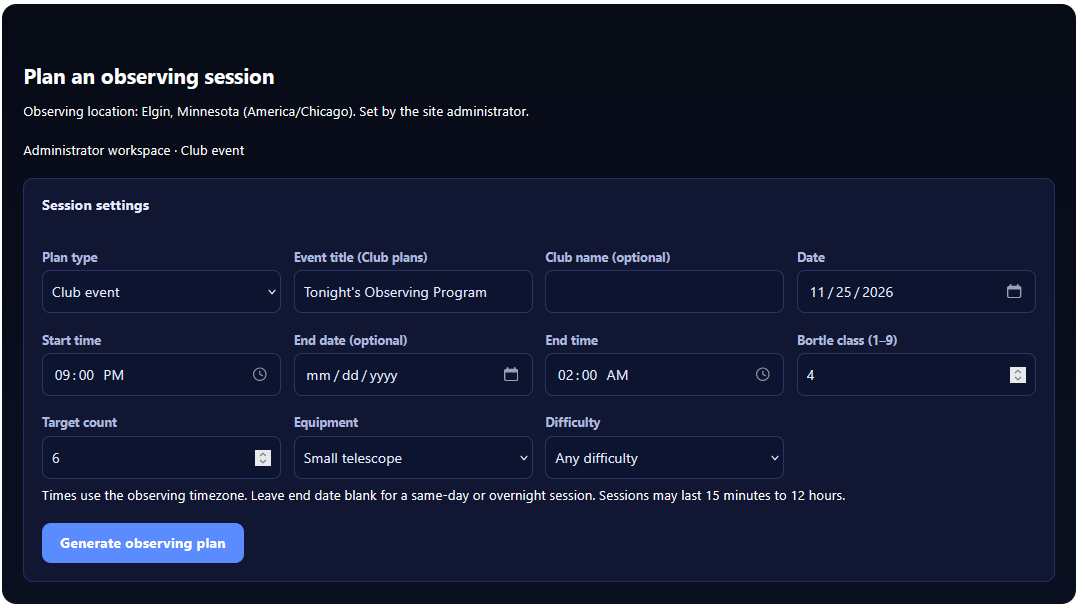
Set an event title, optional club name and the session’s observing settings. View full size: Plan a Club event (opens in a new tab).
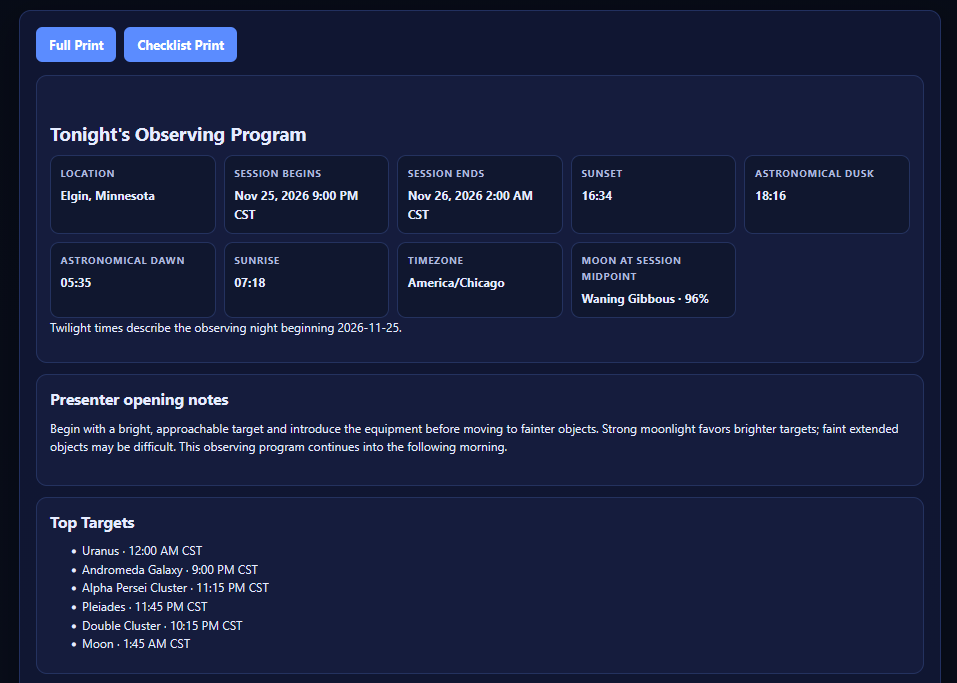
Review the session summary, Moon information, presenter notes and top targets. View full size: Program overview and opening notes (opens in a new tab).
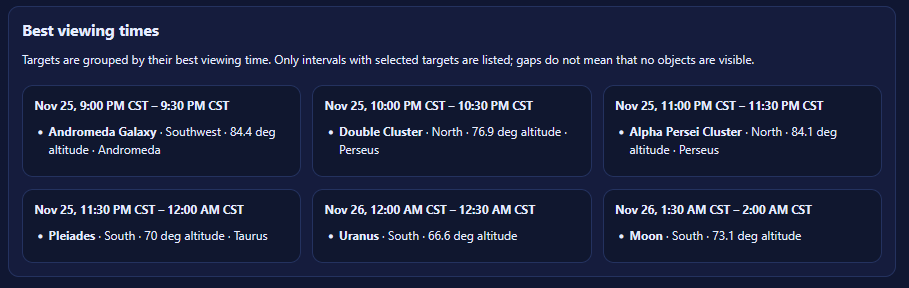
Follow groups of targets across the session, including an overnight observing window. View full size: Best viewing times (opens in a new tab).
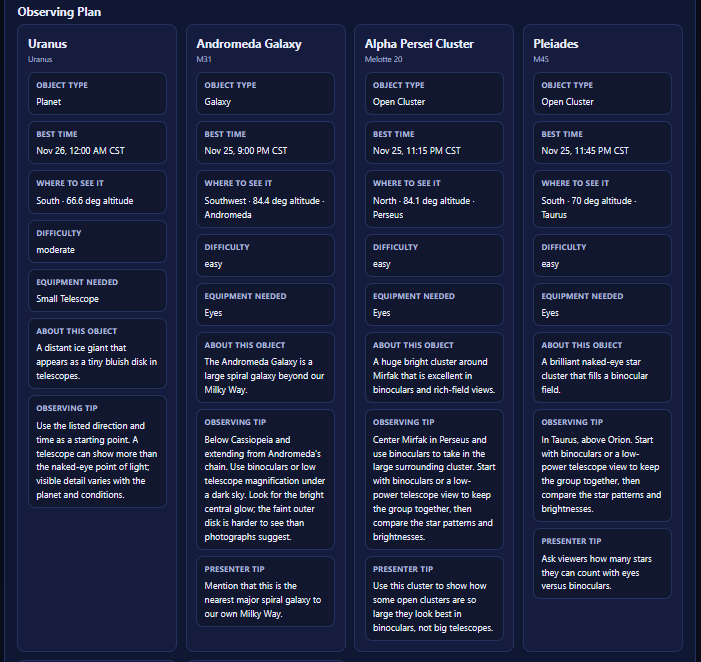
See object descriptions, equipment guidance, observing tips and presenter tips. View full size: Detailed target cards (opens in a new tab).
Print-friendly plans for the observing field
Personal plans have a print layout. Club service adds Full Print and Checklist Print: use the detailed program for preparation and presenting, or the checklist for tracking observations and notes.
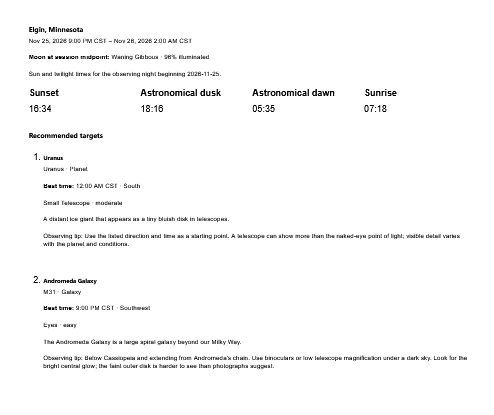
A print-friendly version of the personal plan and its observing guidance. View full size: Personal plan print layout (opens in a new tab).
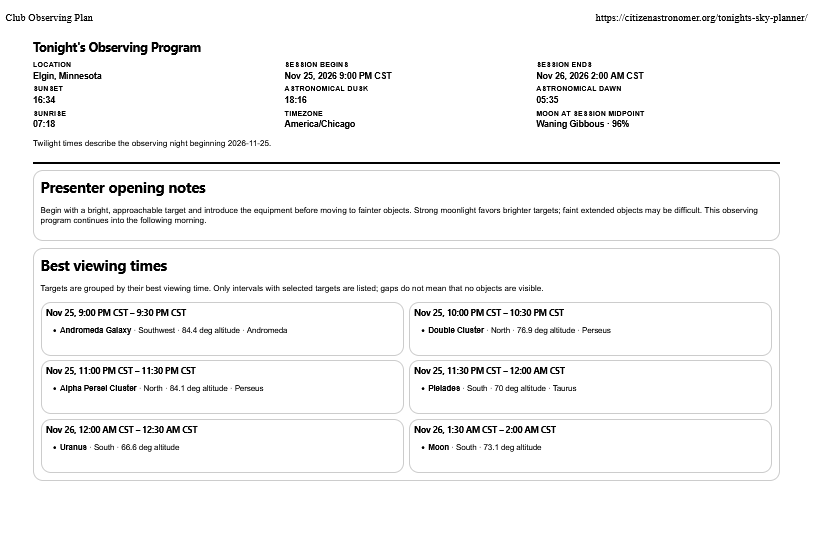
Session details, opening notes and best-viewing time groups. View full size: Club Full Print — program overview (opens in a new tab).
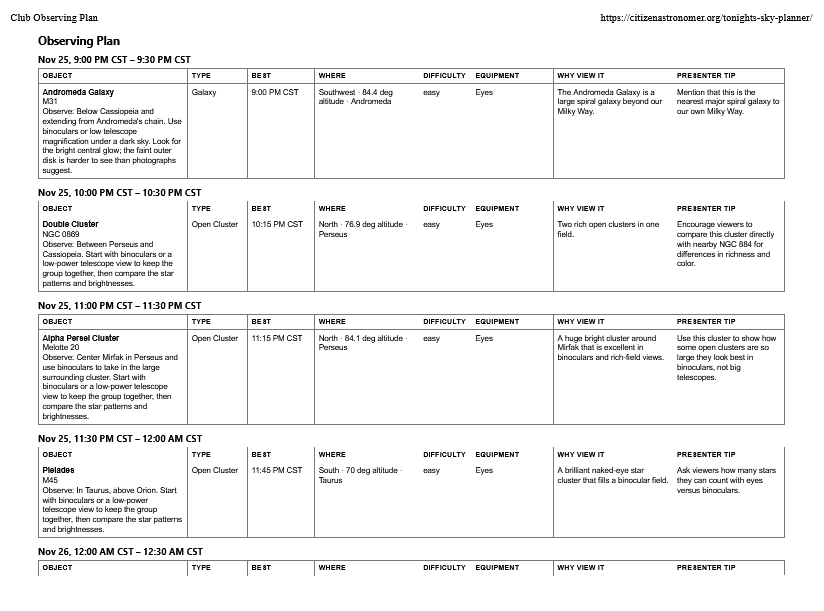
Target tables with directions, equipment, observing guidance and presenter tips. View full size: Club Full Print — observing details (opens in a new tab).
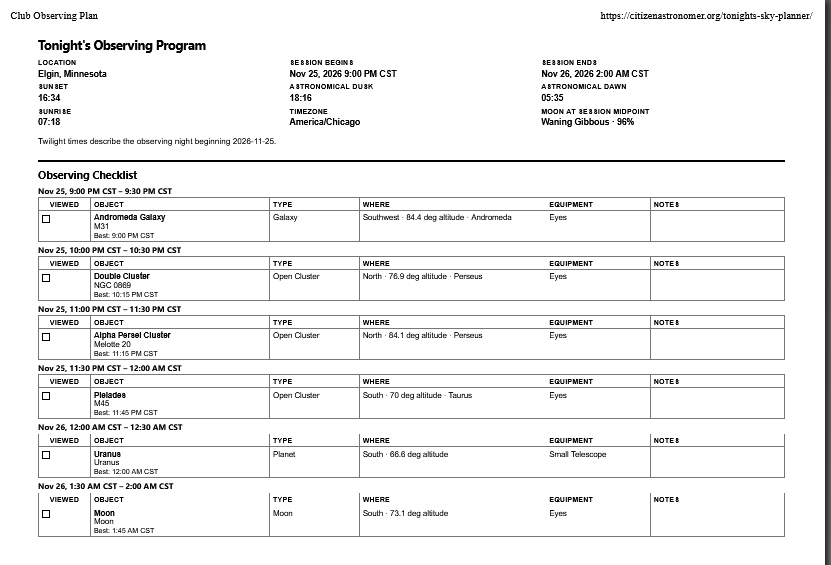
Time-grouped targets with observation checkboxes and space for notes. View full size: Club Checklist Print (opens in a new tab).
Compare Free, Personal and Club plans · Get an API key or manage your service
Set up your observing site
Save your location label, coordinates and timezone. The optional Use my current location button fills coordinates and your device timezone after browser permission. Select your equipment using checkboxes and estimate the site’s Bortle class, from 1 (darkest) to 9 (brightest). Review and save before generating a plan.
Designed for a practical observing workflow
Use a dedicated Shortcode block for the dashboard or planner. Keep planner pages out of full-page and CDN caches. The plugin keeps API keys on the WordPress server and only connects to the astronomy service after an administrator enables it. Without that connection, local Moon phase and illumination remain available.
Get your API key and connect your website
Create your free CWD account or sign in to the client portal. Open API services, enter your website address and select Create free API key. Save the issued key privately, then paste it into Settings → Celestial Night Sky in WordPress, enable the service connection and save. Your account shows the website’s allowance and available plan choices. Paid checkout remains limited to enrolled accounts during the pilot; contact CWD if a paid option is unavailable. The plugin has been submitted to WordPress.org for review. Once approved and listed, installation and plugin updates will be handled through WordPress.org.
Create a free account · Already registered? Manage API services · Ask a question · Read the setup guide · Browse CWD plugins · Service privacy notice · Service terms
Frequently asked questions
Can people visiting my website create their own plans?
Not in the current pilot. Planning workspaces are restricted to administrators. Visitors can view the public dashboard.
Do I need another key when I upgrade?
No. Upgrade the existing website in the client portal, then refresh service status in WordPress. Replace a key only when it is lost or no longer valid.
Is this the same as the Lunar Phase plugin?
No. Celestial Lunar Phase remains a separate plugin. Celestial Night Sky combines a sky display with optional service-backed observing planners.
Will it predict what I can actually see?
The plans provide observing guidance based on your inputs and calculated sky circumstances. Clouds, local obstructions, transparency and real-world conditions can change what is visible.