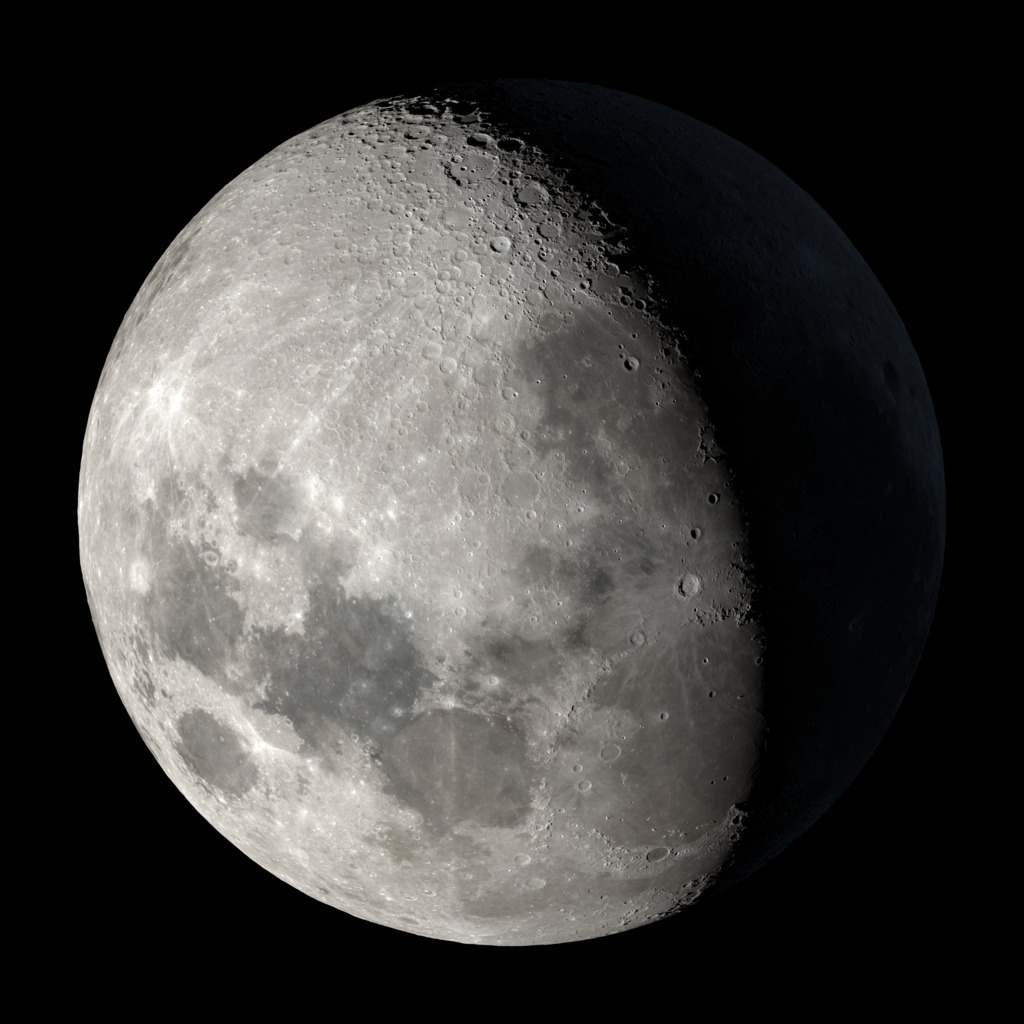
Celestial Lunar Phase Plugin
Add a beautiful live moon phase display to your WordPress website.
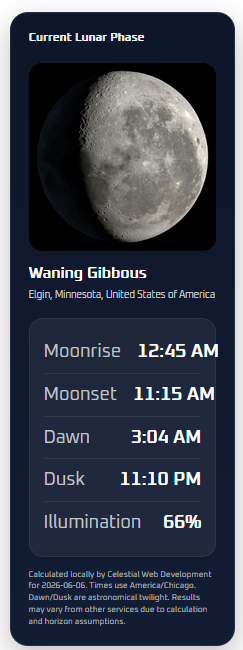
The Celestial Lunar Phase Widget displays the current lunar phase with a matching image, phase name, moonrise time, moonset time, astronomical dawn and dusk, and illumination percentage. Perfect for astronomy sites, educators, outreach groups, and space enthusiasts.
What the Plugin Displays
- Current lunar phase
- Matching moon phase image
- Phase name
- Moonrise time
- Moonset time
- Astronomical dawn and dusk
- Illumination percentage
- Location-based data
What’s New in Version 2.2
- Removed the WeatherAPI requirement
- Added local astronomy calculations
- Added location lookup by city
- Added browser-based “Use My Current Location” support
- Added a timezone dropdown selector
- Improved moonrise and moonset calculations
- Added astronomical dawn and dusk times
- Added admin notices for existing installs that need location setup
- Improved setup experience for new users
Key Features
- No API key required
- Local astronomy calculation engine
- Easy shortcode: [celestial_lunar_phase_widget]
- Gutenberg block support
- Clean, modern moon phase display
- Local moon phase images bundled with the plugin
- Location lookup tool
- Use My Current Location button
- Timezone dropdown
- Simple setup screen
Location Setup
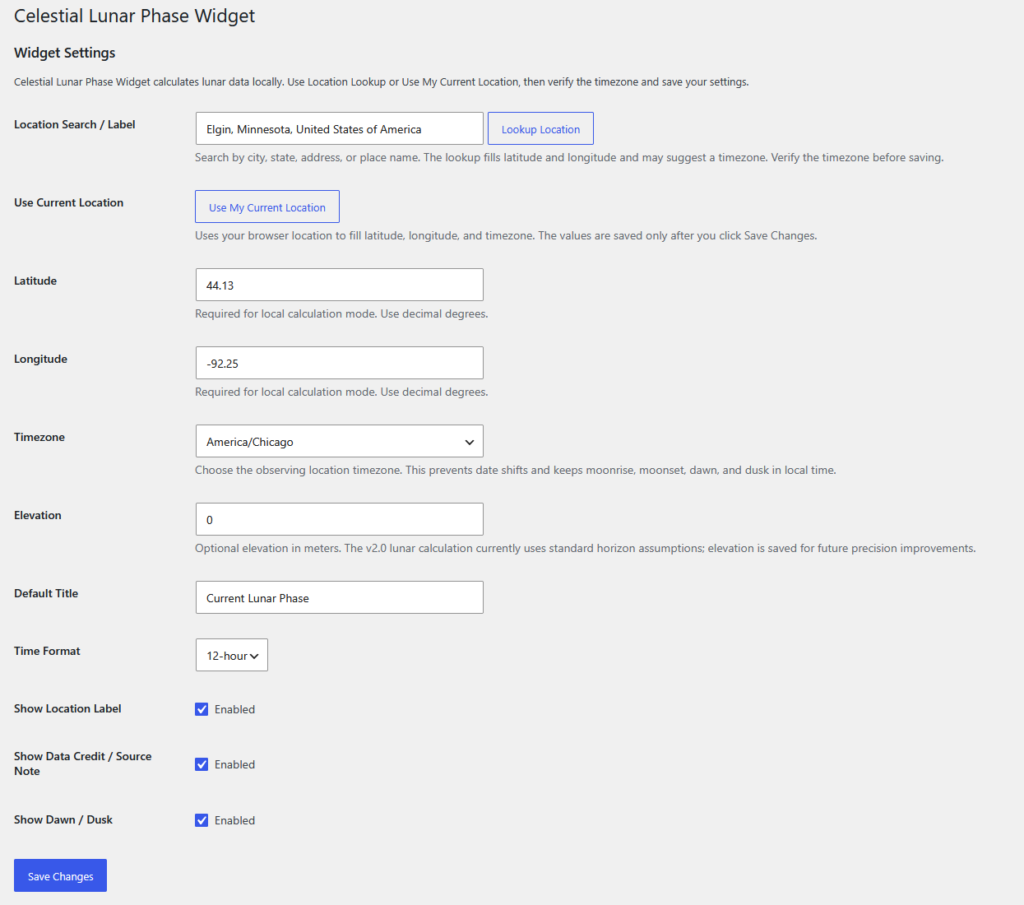
Version 2.2 and later use local astronomy calculations instead of a third-party lunar data API. After installing or updating, visit the plugin settings page and configure your location.
- Go to Settings → Celestial Lunar Phase Widget
- Use the location lookup tool, or click Use My Current Location
- Verify that latitude, longitude, and timezone are correct
- Save your settings
Existing installations may show an admin notice until location settings are completed.
Installation
- Upload the plugin ZIP in Plugins → Add New
- Activate the plugin
- Go to Settings → Celestial Lunar Phase Widget
- Configure your location and timezone
- Add the block or shortcode to any page, post, or widget area
Shortcode
[celestial_lunar_phase_widget]
[celestial_lunar_phase_widget title="Tonight's Moon" show_credit="no"]
Screenshots
Widget Display
Setup Screen
Support
Need help or want to report an issue?
- Submit bug reports
- Request new features
- Get help with setup
- Request customization
Please include your WordPress version, plugin version, theme, location settings, timezone, and screenshots when reporting issues.
Frequently Asked Questions
Does this plugin require an API?
No. Version 2.2 and later perform lunar and solar calculations locally on your WordPress server. No WeatherAPI account or API key is required.
Why do I need to configure a location?
Moonrise, moonset, dawn, dusk, and illumination depend on your latitude, longitude, timezone, and date. The plugin needs location settings to calculate accurate local results.
How accurate are the calculations?
The plugin uses local astronomy calculations based on your configured location, timezone, and date. Results should be close to major astronomy references, though small differences may occur because services use different horizon, refraction, elevation, and calculation assumptions.
Does it work with blocks?
Yes. You can use either the Gutenberg block or shortcode.
Can I use my current location?
Yes. The settings screen includes a Use My Current Location option that can fill in your coordinates and timezone.
Can I customize it?
Yes. Celestial Web Development offers customization, integration, and plugin development services.
About Celestial Web Development
Celestial Web Development specializes in WordPress development, customization, plugin development, and hosting solutions.
Email: john@celestialwebdevelopment.com
Live Example